en
en italiano
 čeština
 Deutsch
 français
 hrvatski
 magyar
 polski
 српски
 русский
 中文
中文 中文
中文 한국어
한국어 español
Imatch
Menu: Image > Image Correlate
Ribbon: Insert > Image > Image
Correlate ( )
)
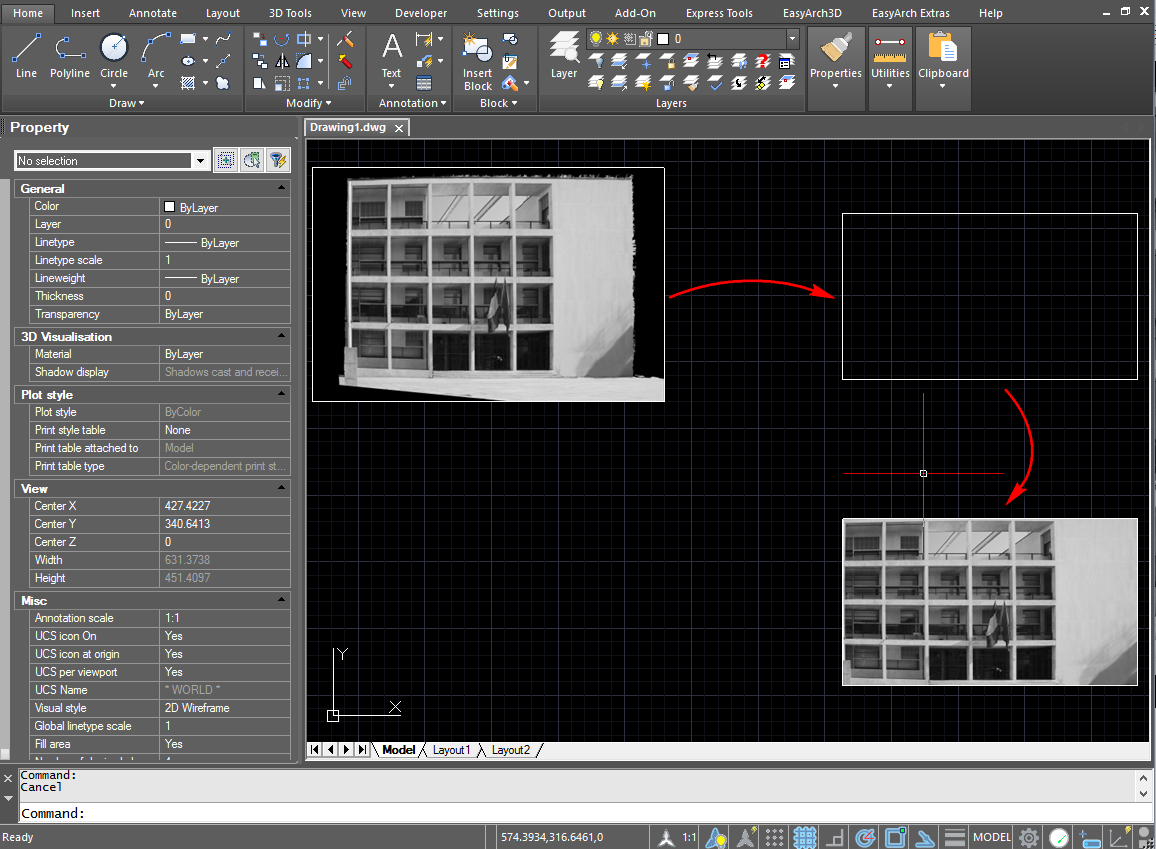
Allows to adapt a inserted raster image to a vectorial (rectangular) object.
How to use the Imatch command:
- Insert a desired image into a existing drawing, with random dimensions.
- Run the Imatch command.
- Select the image.
- Choose Rectancle option.
- Follow the shown instruction to select the reference points on the image.
- Follow the shown instruction to select the reference points on the vectorial drawing.
- Follow the shown instruction to select the reference points on the vectorial drawing.
As result it's possible to obtain a cropped-rotated-scaled image.