
 en
en italiano
 čeština
 Deutsch
 français
 hrvatski
 magyar
 polski
 српски
 русский
 中文
中文 中文
中文 한국어
한국어 español
Quick Properties
Status Bar:
Quick Property ( )
)
Ribbon: Settings > Customization > Quick Properties
Keyboard: QUICKPROPERTIES
When objects are selected displays the Quick Properties palette. That is a sub-group of the information contained in the traditional Properties palette.
It's possible to turn it OFF through related button in the progeCAD StatusBar.
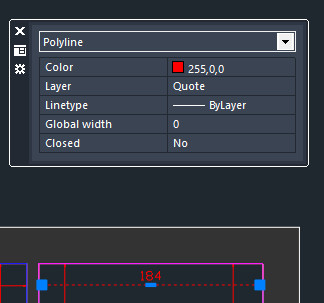
OPTIONS/CONFIGURATIONS:
All the configurations of this function are accessible from:
- Options icon in the Quick Properties palette (
 )
) Right click on the StatusBar Quick Properties icon > Settings
Settings > Customization > Quick Properties
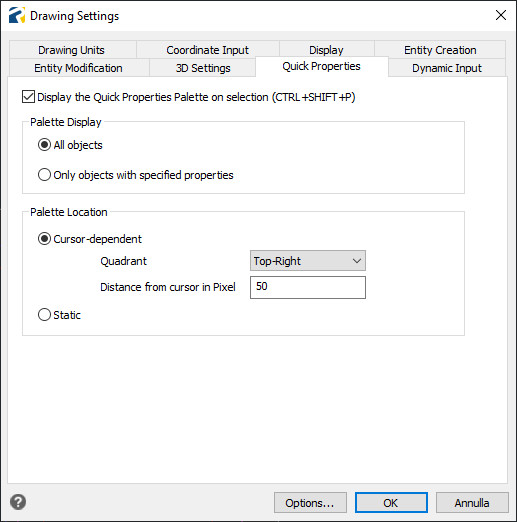
Palette Display: It's possible to decide if the palette is displayed for All objects, or only for objects with specified properties (the customization of this parameter is not available now).
Palette Location: It's possible to decide the placement of the palette, if static or related the position of the mouse cursor