
 en
en italiano
 čeština
 Deutsch
 français
 hrvatski
 magyar
 polski
 српски
 русский
 中文
中文 中文
中文 한국어
한국어 español
TUTORIAL - progeCAD Basics for Beginners
Basic of 2D Design, Architectural Design, Mechanical Design, 3D Design
📽️This video course is designed as an introduction to ProgeCAD for beginners and for those looking to refresh basic concepts.
It offers a series of video tutorials that cover the progeCAD user interface, all the fundamentals of 2D drawing, an introduction
to both architectural and mechanical design, and basic 3D operations.
All the videos are accompanied by Examples, Quizzes, and Exercises that you can download for free.
The progeCAD Basics for Beginners Video Course is partially sponsored by progeCAD USA (www.progecad.us)
Play Beginners Start Here!
progeCAD Professional 2027
What's New
A quick tour of the main progeCAD 2027 new features. The new progeCAD version on the brand new IntelliCAD 14.1 engine is out to offer Faster Engine, DWG Compare, Dimension Grips Menu, Flex License, UI and Settings Migration Tool, new Express Tools and more.
Play
progeCAD Professional
General Overview & Main Features
progeCAD is a CAD software for 2D and 3D technical drawing with exclusive features and tools, easy to use and suitable for any budget. Based on the native DWG format, it is an alternative to DWG CAD like: AutoCAD, BricsCAD, ZwCAD, GstarCAD... It is an excellent tool for Architectural (AEC), Mechanical (MCAD), Survey, GIS, and all general CAD applications. Available with a perpetual license (no annual fee) or an annual subscription.
Play
progeCAD Professional 2026
What's New
A quick tour of the main progeCAD 2026 new features. The new progeCAD version on the brand new IntelliCAD 13.1 engine is out to offer enhanced performance, Quick Calculator on the Properties pane, Raster Draw-The Raster Design® replacement, New commands and functions for terrain profiles management and contour lines, new Express Tools and more.
PlayprogeCAD Professional - Intro Videos
5 reasons
to choose progeCAD
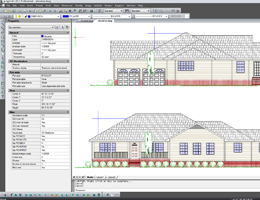
A quick look at some of the progeCAD advantages. Five reasons to choose progeCAD 1. DWG Format 2. Easy-to-Use 3. Perpetual and Affordable Licenses 4. Exclusive Tools etc.
Play
Case History
Systra Korea
Why using progeCAD? An interview with Sang-Ki Lee, Managing Director of technical division of SYSTRA KOREA
Play
Raster Draw
AI-based module for Raster Management in DWG
Use Raster Draw tools in a specialized toolset to edit scanned drawings and convert raster images to DWG objects.
Play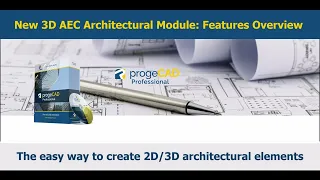
Architectural AEC Module
Overview
The new 2D/3D architectural plugin, compatible with AutoCAD® Architecture to draw 3D architectural elements with a two-dimensional view in plan and takes advantage of a whole series of new Architecture style commands.
More tutorials are available further down the page.
Play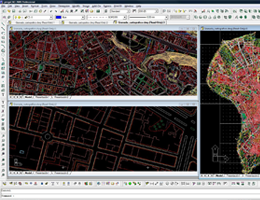
progeCAD Professional
Civil design functions
Provides a set of free tools for civil engineering design, land surveying and digital terrain modeling (DTM).
Play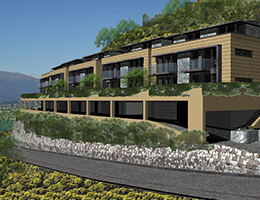
progeCAD Professional
New Advanced Render
Artisan Renderer integration. The Render allows you to create a photorealistic image of your model quickly using a wide range of pre-set materials.
Play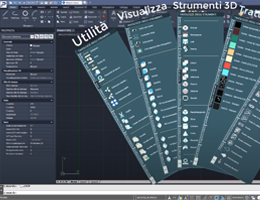
progeCAD Professional
Tool Palettes
The Tool Palettes provide an extremely effective method of accessing tools. Use the tool palettes to organize blocks, hatches, and custom tools in a tabbed window.
Play
progeCAD Professional
What is Artisan Render?
Artisan, the easy-to-use rendering application for CAD designers, is the rendering engine integrated into progeCAD Professional.
Play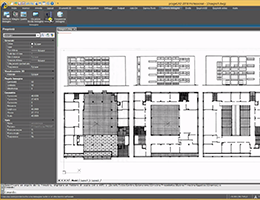
progeCAD Professional
Perspective Image Correction
Thanks to this amazing plugin, photos insertion is easy and intuitive, with the ability to correct their perspective through the multi-point system.
Play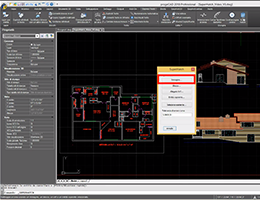
progeCAD Professional
Superhatch Command
Create hatch patterns from images, blocks,
external references (xrefs) and wipeouts.
progeCAD Professional
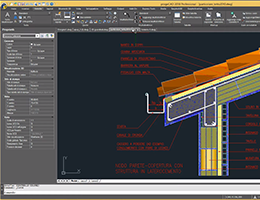
Multileaders with progeCAD
Multileaders give additional information about the elements of a drawing. This is such kind of information as building dimensions, surface finish requirements etc.
Play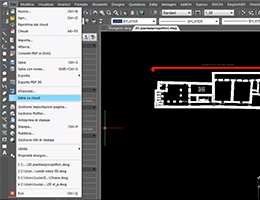
progeCAD Professional
Cloud
Save and open drawings on Cloud! progeCAD Cloud makes it easy for you to reach any of your drawings wherever you are.
Play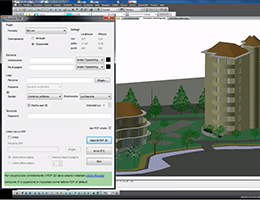
progeCAD Professional
3D PDF Export
progeCAD 3D PDF: The innovative and easy communication toolkit. Data sharing using the standard 3D PDF file format.
Play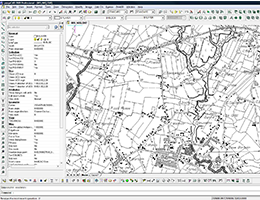
progeCAD Professional
Raster to Vector module
With progeCAD Professional you can convert raster images into DWG CAD files. You can convert your paper drawings in editable CAD vectors
Play
progeCAD NLM
Network license - How it works
Multi-user access is a good choice for companies with multiple users that need access to the same software deployed through network licenses. Network licenses aren’t assigned to individual users and can be shared. Network licenses do not require an internet connection to activate or use.
PlayprogeCAD 2026
What's new?
Quick Calculator on the Properties pane, Raster Draw-The Raster Design® replacement, New features for terrain profiles management and contour lines, and more.
PlayprogeCAD 2025
What's new?
AEC Architectural Plugin, Generative AI DWG Translator, GIS Rubber Sheeting, New BIM/IFC/Revit® Import, New Express Tools, etc.
Play
progeCAD 2022
What's New
New Start Page, Search in Options and Drawing Settings Dialog, Interactive background map from Microsoft Bing, Incremental save, Revit® 2021, Improved ARRAY, Improved MTEXT, Sheetset Manager
PlayprogeCAD Professional - Tutorial
Learn how to import or to attach BIM files.
You can attach or import RVT, RFA, and IFC
File Format.

The new 2D/3D architectural plugin, compatible with AutoCAD® Architecture to draw 3D architectural elements with a two-dimensional view in plan and takes advantage of a whole series of new Architecture style commands.
How to use and customize Walls Styles.
The AEC Architectural Tool provides several ready-to-use wall styles, and allows the customization and creation of new styles.
A step by step guide to the new progeCAD AEC Architectural Tool: Learn how to create your 2D/3D architectural layouts with progeCAD AEC tool.
Compatible with AutoCAD®AEC Objects.
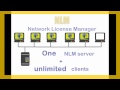 progeCAD NLM: How to
In this video tutorial you can find how
to install and managent of NLM (Network) Licenses
This overview provides a clear and practical introduction to roof design in progeCAD, showing how to get started with creating and managing roofs efficiently. Roofs are objects that allow you to model complex, multi-slope surfaces and can take various shapes.
 progeCAD 3D Tutorial
How to create a 3D model and render it. A basic tutorial and secure 3D functions.
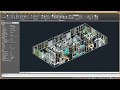 iCADLib in progeCAD
The iCADLib module enables you to store and organize a large number of CAD blocks. ProgeCAD includes more than 22,000 default blocks.
 Traceparts
The Traceparts online CAD portal provides hundreds of supplier catalogs and more than 100 mln CAD models and product datasheets in all sectors.
 Convert a PDF to DWG
How to convert a PDF file in a CAD DWG drawing with a one-click operation. You can maintain layers converting a PDF with layers in the CAD DWG drawing
 Layers in PDF files
You can maintain layers converting a PDF with layers in the CAD DWG drawing file and create layers on PDF generation.
 From paper to CAD with progeCAD
How to get a progeCAD file from a paper drawing. The progeCAD raster to vector converter translates raster images into corresponding vector representations.
 Image management
Supports DWG with images and photos, raster editing/visualization. Support for ECW and Jpeg 2000 file formats. Clipping and polygonal clipping on images.
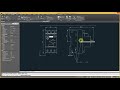 Multileaders
Multileaders give additional information about the elements of a drawing. This is such kind of information as building dimensions, surface finish requirements etc.
 Load Menu and Alias with CUI Editor
Starting from 2019, progeCAD integrates the new CUI Editor which has changed the standard customization procedure for Menu loading and ALIAS management.

 EasyArch 3D - Tutorial 2
EasyArch 3D contains a vast library of parametric objects from various architectural elements (Doors, Windows, Stairs, Balconies
 EasyArch 3D - Tutorial 3
A plugin for the parametric design of architectural elements has been boosted with options for 3D modelling. Design and Editing. Roofs, Floors and Stairs.
progeCAD Professional - Manuals and Info

Inside progeCAD Manual
Tutorial on progeCAD Professional by Ralph Grabowski (refers to v. 2017). For new users and AutoCAD® users.
Download
Raster to Vector - Quick Guide Quick guide
How to convert a document (
electronic or paper)
into CAD vectors.

progeCAD Professional User's Guide
(Very old, refers to progeCAD v. 2011) A complete and updated guide is available within progeCAD Professional> Help Menu> Help
Download
progeCAD 2027 Brochure
Find out what's new and features
main of the latest version of
progeCAD Professional 2027.

Artisan Render Quick Guide
A quick guide to instantly creating high quality, photorealistic
images of the models

Tailoring progeCAD Manual
How to customize progeCAD.
For advanced users (Refers to v. 2017).
From Ralph Grabowski.
Download Trial
progeCAD Professional 2027 General-purpose 2D/3D DWG/DXF CAD
The proven alternative to AutoCAD® for Windows
More Info
iCADMac 2025 General-purpose 2D/3D DWG CAD for Mac
The proven CAD alternative for Mac. Supports up to Sequoia and Intel/ARM M processors. AutoCAD® Compatible
More Info