
 en
en italiano
 čeština
 Deutsch
 français
 hrvatski
 magyar
 polski
 српски
 русский
 中文
中文 中文
中文 한국어
한국어 español
Quick Properties
Status Bar:
Quick Property ( )
)
Ribbon: Settings > Customization > Quick Properties
Keyboard: QUICKPROPERTIES
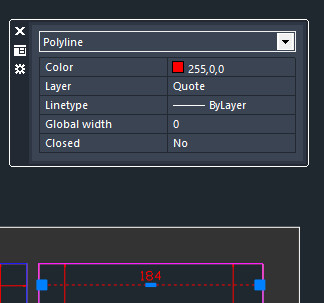
When objects are selected, the Quick Properties palette is displayed. It shows a subset of the information contained in the traditional Properties palette. You can turn it off using the corresponding button on the progeCAD status bar.
OPTIONS/CONFIGURATIONS:
All settings for this function can be accessed from:
- Options icon in the Quick Properties palette (
 )
) Right click on the StatusBar Quick Properties icon > Settings
Settings > Customization > Quick Properties
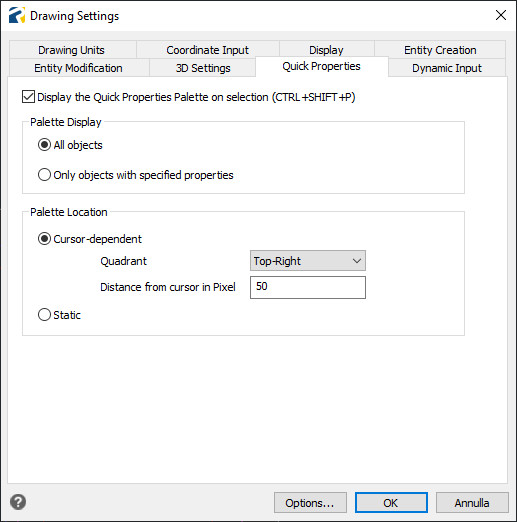
Palette Display: you can choose whether the palette is displayed for all objects or only for objects with specified properties (customization of this parameter is currently unavailable).
Palette Location: you can choose the placement of the palette, either static or relative to the mouse cursor.