
 en
en italiano
 čeština
 Deutsch
 français
 hrvatski
 magyar
 polski
 српски
 русский
 中文
中文 中文
中文 한국어
한국어 español
Add PDF formats
Add custom paper format

Ribbon: Output > Add custom paper format
Menu: Format > Add custom paper format
Keyboard: ADDFORMAT
This function allows you to add customized paper formats to the installed
virtual printer drivers, such as the PDFCreator.
PROCEDURE:
- Run the Addformat command.
- Press NEW button to create a new papersize.
- Close the dialog.
When running the ADDFORMAT command, the following window appears:
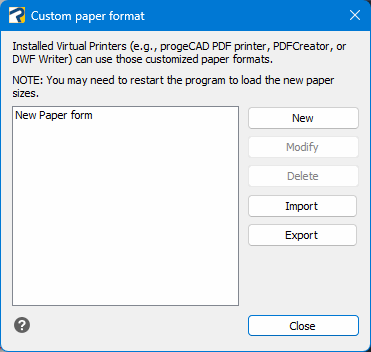
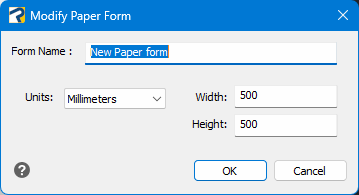
Clicking the New or Modify button opens the following window
It is also possible to Delete existing paper formats.
Moreover, using the Import and Export buttons, you can import or export paper format configurations.
NOTE - You may need to restart the program to load the new paper sizes.