
 en
en italiano
 čeština
 Deutsch
 français
 hrvatski
 magyar
 polski
 српски
 русский
 中文
中文 中文
中文 한국어
한국어 español
Block Table
Block Table
Keyboard: BTABLE
Ribbon: Block Editor > Action Parameters > Block table
This command is available only in the Block Editor. If a block table has already been created, entering the BTABLE command immediately opens the Block Properties Table dialog box, where each row defines a different variation of the block reference.
The following prompts are displayed:
Parameter Location
Specifies where the grip and table icon are located in the block definition.Palette
Specifies whether the block table item is displayed in the Properties palette when the block reference is selected.Number of Grips
Specifies the number of grips to use. You can choose from a context menu based on the current contents of the Block Properties Table.
After these prompts, the Block Properties Table window is displayed.
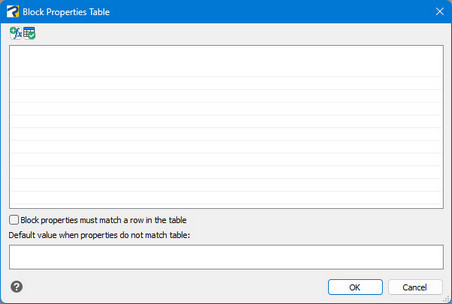
Add properties button
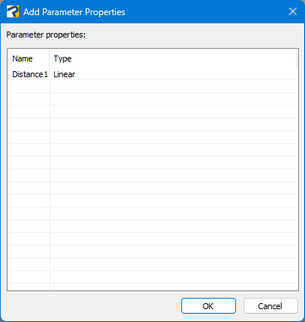
 Opens the Add Parameter Properties dialog box where you can add parameters
already defined in the Block Properties Table.
Opens the Add Parameter Properties dialog box where you can add parameters
already defined in the Block Properties Table.
Check button
 Analyzes
the Block Properties Table for errors.
Analyzes
the Block Properties Table for errors.
Block properties must match a row in the table
When selected, block properties must match a row in the table. Specifies if the properties added to the grid control can be changed independently for each instance of the block reference.
Default value when properties do not match table
If the "Block properties check" above is not selected, modifying other properties without matching a row will cause the default values to be displayed.