
 en
en italiano
 čeština
 Deutsch
 français
 hrvatski
 magyar
 polski
 српски
 русский
 中文
中文 中文
中文 한국어
한국어 español
Rubber Sheet
Rubber Sheet command
Ribbon: AddOn> Image Fix
Menu: AddOn
Toolbar: AddOn
Keyboard: RUBBERSHEETThis function allows to adapt an inserted image to the vectorial project part, using more reference points.
Is necessary to specify the points counterclockwise, sequentially, from image to vectors.
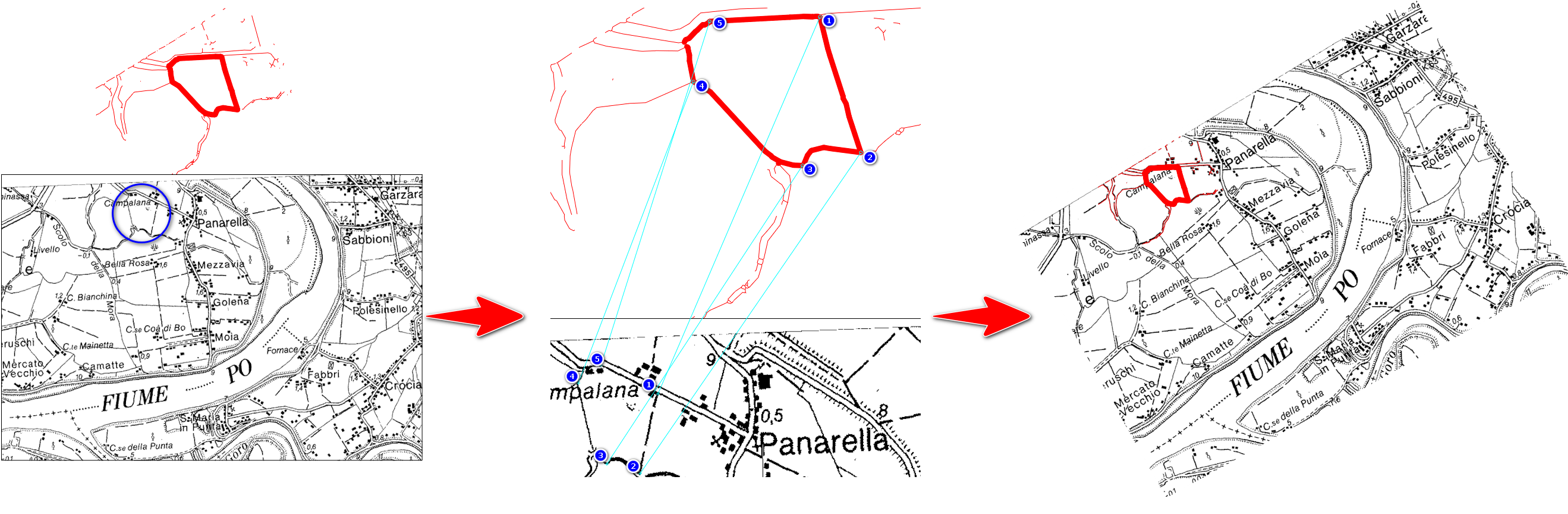
PROCEDURE:
- Run RUBBERSHEET command
- Press ADD POINTS button
- Select reference points (point 1 on the image, point 1 on the vectors... point 2 on the image, point 2 on its vectors... and so on sequentially, counterclockwise)
- Confirm with Enter, or Right mouse, click after last points couple selection
- Choose OK button in the dialog to terminate
DIALOG:
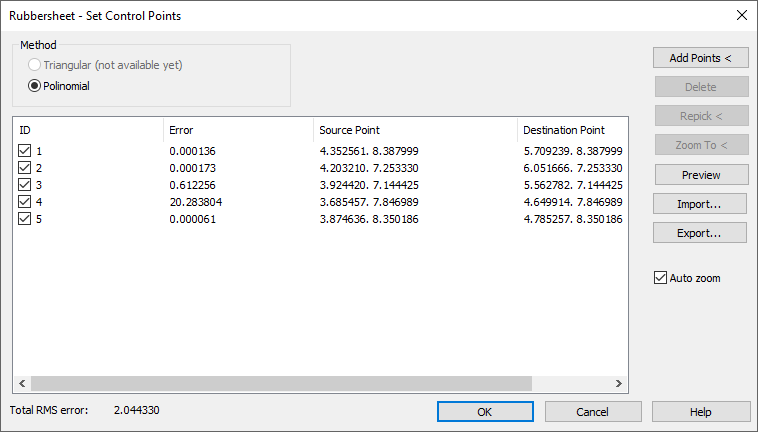
Add points: Allows to add reference points on drawing
Delete: Allows to delete selected points from the list
Repick: If some points are wrong or not optimal, it allows to re-select them
Zoom To: Is possible to zoom on drawing area about selected points
Preview: Shows a result preview about actual reference, to evaluate the precision
Import and Export: Is possible to save reference points combination, and re-load it in other drawings
RELEVANT INFORMATION:
Please note that through this command the image is rotated, scaled and re-placed, but is not deformed.
If you need fix the perspective image deformation, please refer to the "Perspective Image Correction" command, in AddOn section.