
 en
en italiano
 čeština
 Deutsch
 français
 hrvatski
 magyar
 polski
 српски
 русский
 中文
中文 中文
中文 한국어
한국어 español
Autocurve

Ribbon: Add-On > DTM > AutoCurve
Toolbar: PCAD > Add-On > DTM > AutoCurve
Menu: Add-On > DTM > AutoCurve
Keyboard: AUTOCURVE
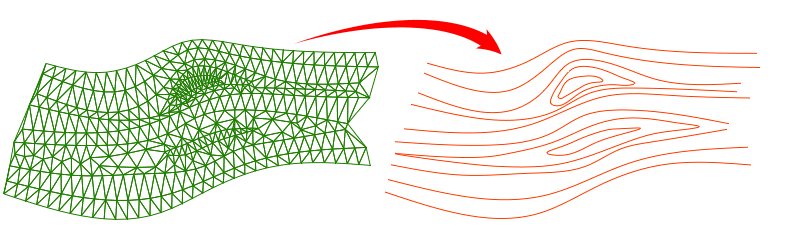
This command allows you to generate elevation contour lines from 3D DTM triangular faces. The curves produced are composed of 2D polylines that are placed on the CURVE layer.
PROCEDURE:
- Run the AUTOCURVE command
- Select the 3D DTM
- Enter equidistance
- Choose whether to smooth the curves
Note: rounding is done using the Spline option of the EDITPL command. It is recommended to set the SPLINETYPE variable to 5 before launching the utility. If the resulting polylines appear too segmented, increase the value of the SPLINESEGS variable.
How do I...