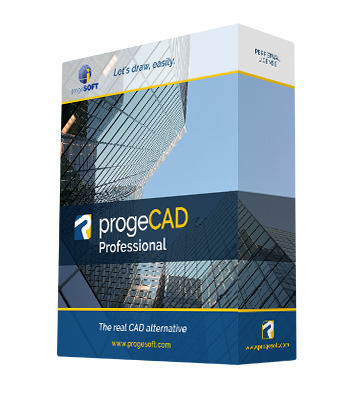
progeCAD 2011 Professional

progeCAD 2011 Professional

progeCAD 2011 is a real "CAD evolution"
progeCAD 2011 a stable, fully functional, easy to use DWG CAD at a fair price.
Ready for Windows 7 - 2012 DWG compatible


Download Brochure  - Download PowerPoint presentation - progeCAD Main customers  - Video

Intro
Features
Details
Compare
Licenses

2011 New Features: demo  video


  • DWG 2012 support
  • Windows 7 full compatibility


  • AutoCAD® like paper style background
    The new improved user interface with support of the AutoCAD® like paper style background. A new look and feel comfortable experience.
  • iCADLib
    Blocks Manager. Thanks to a completely renewed interface and improved performance of the famous ALE Block Manager, it will become your perfect everyday companion for blocks management. More than 20.000 2D/3D blocks (Construction, Architectural, ANSI-ISO and DIN-ISO Mechanics, ANSI and IEC Electrical, Electronic, Steel Profiles, Furniture, Kitchen)
  • Traceparts for progeCAD
     iCADLib integrates the progeCAD Traceparts web portal for easy guided usage of more than 100 million of blocks. Directly guided block insertion from the web into your drawings just in a snap.
  • EasyArch
    The automated building tool plugin for architects, designed to increase productivity in house and interior design and remodelling. EasyArch is a plugin for architects, designed to increase productivity.
    EasyArch allows to:

    - Create walls
    - Edit walls (delete, rotate, MOVE, copy, make/cap holes etc.)
    - Insert, copy, move, edit doors and windows automatically
    - Manage layers (quick turning on/off, freeze/UnFreeze, isolate etc.)
    - Manage and insert parametric blocks from additional menu
    - Create stairs
    - Create Roofs
    - Create and edit tables of elements, rooms, spaces
    - Assisted Dimensioning


 progeCAD General Features:


  • Xref Manager
    A comfortable interface for the management of external references
  • Bitmap/Raster View - demo video
    progeCAD Professional 2010 supports DWG with images, photo, raster editing/visualization. ECW and Jpeg 2000 also supported
  • Bitmap Clipping
    Clip and polygonal clip on images
  • Gradient Hatch support
    Display and creation of Gradients
  • Polygonal layout Viewports
    display and creation
  • PDF Import-Export
    PDF import with layers support (besides normal PDF also Layered PDF can be imported keeping the original layer structure)  demo  video
    PDF export with layers support (DWG can be exported into normal or layered PDF)
  • Find and Replace
    Find and replace text and block attributes in DWG
  • Express Tool
    A complete set of Extra functions for Blocks, Layers, Texts
  • Standard GUI
    Comfortable, easy to use, standard graphic interface,  Toolbars “AutoCAD® like” feeling
  • Aerial View
    In a large drawing, you can pan and zoom quickly in a window that can display the whole drawing
  • eTransmit
    compacting and transmitting DWG file by email
  • Advanced CTB
    Greyscale print and Screening
  • progeCAD Rendering
    Advanced rendering module with multiple lights management and the creation/editing of materials. Reflection, mirror, transparency, smooth shadows, customizable size bitmap output
  • Eattedit
    Advanced Attribute editing
  • progeCAD Wblock Manager
    Tool for the improved creation of blocks on disk
  • Solprof 
    2D profile image extraction from ACIS solids
  • progeCAD QDIM
    Quick dimensioning
  • Google EarthTM Integration - demo video
    Export your models to Google Earth
  • Spell Checker
    Highlight and correct misspellings
  • progeCAD New Wizard
    Initial configuration mask of new designs based on prototypes or predefined values
  • progeCAD DWG Explorer
    Windows Explorer style windows for DWG browsing and block insertion
  • Snap 'From'
    The smart tool completing the snap family
  • Extended Hatches
    More than 300 new Hatch patterns available
  • Layer Manager
    Save and Restore Layers configurations
  • Layout
    Management of multiple layouts allows the creation of all print tables of the same design and offers a greater compatibility with AutoCAD®
  • True color support
    Over the limit of 256 colors in DWG
  • Render Export
    Export tool for LightWave (.lwo), 3D Studio (.3ds), Pov-Ray (.pov)
  • ECW and Jpeg 2000 raster format
    The standard wavelet compression format optimized for aerial and satellite imagery
  • Highlighted selection area
    Crossing Selection and Window Selection
  • Hidden lines in Dview
    Hidden lines in perspective views
  • Layers interface
    “AutoCAD® like” layers management with Layers Filters support
  • Asiatic fonts
    Chinese, Korean and Japanese improved compatibiliy and new fonts
  • Quick Group
    Creates Entities groups with one Click
  • Iconografics Interactive Purge
    GUI inerface for Purge command
  • Raster to Vector
    progeCAD 2010 Professional includes WinTopo raster to vector tool. - demo video
  • Layout Advanced Features
    Hide on Layout
    Shade on Layout
    Selection of Model Space with Double-Click
    Layout Tabs
  • Print area visualization
    Shows the page layout
  • Advanced Data Extraction
    Easy to use wizard for Attributes and Blocks data export
  • DIESEL language support
    Support AutoCAD® DIESEL programming language,
  • DWF Import & Export
    progeCAD 2010 Professional reads and writes standard DWF 2D/3D files
  • JPG and PDF print
    Export drawing to JPG and PDF formats
  • RealTime Pan & Zoom
    progeCAD 2010 Professional allows users to work with their drawings using RealTime Pan and Zoom and also includes the exclusive progeCAD's PPan Technology* allowing dramatic improvements on Pan movements
  • Lineweight for Display and Printing
    Lineweight is supported on Video and Plot
  • Recovery manager
    Easy recover of drawings in the event of crashes
  • ActiveX integration
    Allow cut and paste of progeCAD drawings (or just parts of them) to a Microsoft Office application
  • Customization (AutoLISP, DIESEL, SDS, COM Automation)
    3 programming languages supported by progeCAD 2010 Professional: LISP and SDS (C++ ADS compatible) VBA and COM automation.
  • NLM Take Away
    NLM licenses can be temporarily moved on laptop or remote PC to be used offline. Max flexibility!
  • Several languages available
    English,  French, Spanish, German, Chinese (traditional and Simplified), Italian, Polish, Czech, Russian, Hungarian


progeCAD supports every important AutoCAD® file type, including AutoCAD® drawings (from 2.5 through 2012), AutoCAD® menus (.MNU), AutoCAD® scripts (.SCR), AutoCAD® AutoLISP routines (.LSP), AutoCAD® Drawing Exchange Format (DXF), AutoCAD® ADS Compatible programs (SDS, Solutions Development System), Windows TrueType and AutoCAD® SHP/SHX fonts, AutoCAD® Tables for plotting (.CTB), AutoCAD® Hatch Patterms, AutoCAD® Blocks, AutoCAD® Linetypes, etc.


^