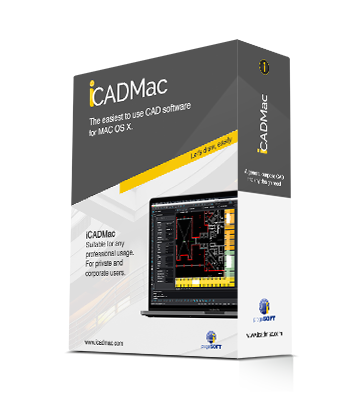
progeCAD 2008 is here! Our leading software come now with a new powerful release able to read and write AutoCAD 2007/2008 DWG files

progeCAD 2008, powered by the most recent IntelliCAD engine, is an easy replacement for AutoCAD® and AutoCAD LT®!

progeCAD 2008 contains many important new features and enhancements to offer all the customers an unparalleled stability and speed.

progeCAD 2008 fits nicely as a replacement for higher cost CAD engines

progeCAD 2008 is the powerful upgrade of progeCAD 2006 that has enjoyed widespread success around the world

Other CAD platforms are up to 10 times more expensive without any additional features.

progeCAD 2008:
  • reads and writes AutoCAD® DWG files from 2.5 to 2008, the files you work with everyday!
  • has industry standard AutoCAD Commands
  • has AutoCAD Menu, Script, Font Compatibility
  • has AutoLISP® Compatibility!
  • Works with images (Insertion and Visualization)
  • has Advanced Rendering Options
  • is built with ACIS® Solid Modeling included
  • can import and edit your Raster Images
  • has Express Tools
  • export to PDF and JPG
  • convert from PDF to DWG
  • comes with near 10,000 standard symbols and blocks
  • supports RedLine and Markup made by progeCAD Viewer DWG

More details

progeCAD 2008 is a real "CAD evolution" for the everyady tasks

progeCAD 2008 a stable, fully functioning, easy to use DWG CAD at fair price.

Take a look to : AutoCAD® -> progeCAD comparison table

Download progeCAD 2008 Trial Version


Download

Items with * are progeCAD's exclusive features not available on generic IntelliCAD

AutoCAD 2008 DWG files support
Read and Write without convertion all DWGs format from v. 2.5 to 2008
Quick Save and Open
Best performance opening and saving drawings. Improved large files support
eTransmit*
utility for gathering, compacting and transmitting an DWG file
Snap 'From' *
The smart Snap option completing snap's family
Advanced Refedit (Block In-Place Editing)*
Edit locally individual objects within a Block.
'Save as' supported to make a copy of original
True Color support
Go ahead the limit of 256 colors in drawings
Create Wipeout entities *
Hide part of a drawing that is included in the main drawing
Plot Interface improved *
AutoCAD® style with memorization of previous settings
Improved Asiatics fonts support *
Chinese, Korean and Japanese improved compatibiliy and new fonts
DWGCODEPAGE system variab
Assign a character set to a drawing. Better drawings interchange
Hidden Lines in Dview (perspective views)
Hide lines now working in perspective
Find & Replace *
Find and replace text and block attributes in DWGs
Improved GUI *
New robust menu structure
Software Updater *
the availability of software upgrades are
automatically checked and proposed for download
New raster engine
Best performance and support of edit Grips.
PNG file format supported
ECW (Enhanced Compression Wavelet) support *
An open standard wavelet compression image format developed
by Earth Resource Mapping.
Jpeg 2000 image support *
Jpeg 2000 is a wavelet-based image compression standard.
Lock Layout Viewports
Lock the model space view or location while panning or zooming in paper space
Export DWF 3D
New 3D format for DWF supported
Entity dependent content menu
Content menu provide commands shortcuts related to the selected entity

Other Improvements from 2007

Fast layout management

Quick regen on viewports

DWG 2007/2008 native support
Latest DWG version don't need convertion process. Better compatibility
New system variables
Dozen of new DWG variables supported
Windows Vista
Improved integration and support
Improved Xref support
Xref layers available in the layers dropdown
Improved print GUI
Redesigned print Form AutoCAD® like
Improved Re-register license system

Transfer the software license to another PC more easier (Also after a disk format)
Bug Fixes

Hundreds of bug fixes


More details

Buy Now


Xref Manager
A comfortable interface for the management of external references
Bitmap/Raster View
progeCAD 2008 Professional supports DWG with images, photo, raster editing/visualization
Eattedit*
Advanced Attribute editing
Battman*
Local editing of blocks Attributes
Layer Manager *
Save and Restore Layers configurations
Extended Hatches *
More than 400 Hatch patterns available
PDF to DWG*
Import PDF files to DWG
JPG print*
Export drawing to JPG format
Images Clipping
Clip and polygonal clip on images
Images Georeferencing
Match a particular size and position based on spatial coordinates
ACIS solids
Creation and editing of ACIS Solids
progeCAD Express Tools*
The powerful tool that improve your productivity
Polar Tracking*
Keeps the line to exact angles automatically
Advanced printig features with STB and CTB support
New printing features and support for STB/CTB AutoCAD® configuration files
Rendering
Advanced rendering module with the management of multiple lights and the creation/editing of materials
Reflection, mirror, transparency, smooth shadows, customizable size bitmap output
Properties Bar
AutoCAD® like Toolbar for Layers, Linetypes, Colors and Line Width management
Properties Palette*
AutoCAD® like interface for properties modification (Color, Layer, Text height, Lineweights, Line Type, Geometry etc.)
progeSOFT Wblock Manager*
Tool for the improved creation of blocks on disk
progeSOFT New Wizard*
Initial configuration mask of new designs based on prototypes or predefined values
progeSOFT DWG Explorer*
Windows Explorer style windows for dwg browsing and block insertion
Otrack® (Etrack)
Automatica points allineament based on other snap point
Layout
Management of multiple layouts allows the creation of all print tables of the same design and offers a greater compatibility with AutoCAD®
Raster to Vector*
progeCAD 2008 Professional includes WinTopo raster to vector tool.
Layout Advanced Features*
Hide on Layout
Shade on Layout
Selection of Model Space with Double-Click
Layout Tabs
PDF format printing*
progeCAD 2008 Professional automatically adds a virtual printer which can produce PDF files without the need to own ADOBE ACROBAT.
DWF Import & Export
progeCAD 2008 Professional reads and writes standard DWF files
3D models o2c export
progeCAD 2008 Professional contains O2C features; 3D Models are easily exported and managed with the O2c Tool. O2C is the best Tool for 3D models presentations.
A 3D model is more alive, convincing and touchable.
The o2c format is not only a 3D-Viewing on internet but also in Microsoft Powerpoint, Microsoft Word, Microsoft Excel, Microsoft Outlook within HTML email.
RealTime Pan & Zoom
progeCAD 2008 Professional allows users to work with their drawings using RealTime Pan and Zoom and also includes the exclusive progeSOFT's PPan Technology* allowing dramatic improvements with Pan movements
Lineweight for Display and Printing
Lineweight is supported on Video and Plot
ActiveX integration
you can insert IntelliCAD drawings (or just parts of them) into a Microsoft Office application file
Customization (AutoLISP, SDS, COM Automation)
3 programming languages supported by progeCAD 2008 Professional: LISP and SDS (C++ ADS® compatible) VBA and COM automation
Script Recorder
Like a macro in Word, a script mimics what you type, including command names, options and coordinates
ALE, Blocks Libraries Management*
progeCAD 2008 Professional contains the full version of ALE, the progeSOFT's powerful module for Blocks management
More than 10.000 blocks available
-Architectural
-ANSI-ISO and DIN_ISO Mechanical
-Electrical components
-3d Kitchen Furnishing
-Oleodynamics and Pneumatics

Unlimited "Undo" & "Redo"
progeCAD 2008 Professional lets you "Undo and "Redo" an unlimited number of editing actions
Plot
The printing of 3D designs with hidden lines and integration with layout
Hatch
Editable Hatch
External VBA files*
Ability to load and unload external .vbi files
Redline and Markup support*
Support for redlining, commenting, markup and collaboration with progeCAD Viewer DWG
New GUI*
More comfortable, standard graphic interface, New Toolbars 'AutoCAD® like' feeling


More details

progeCAD 2008 Professional is available with differente licensing solutions

SL - classic single standalone version
NLM - Network licensing for sharing licenses on local network
Corporate - Unlimited licenses for companies

More details