The new way of CAD!
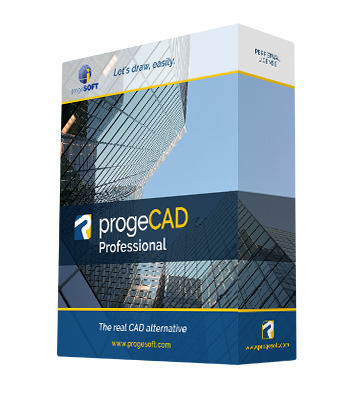
progeCAD 2011 is the 2D/3D, native DWG format, professional CAD solution by progeCAD.
See below the list of some of the main key features available.
High compatibility with AutoCAD * (Professional Only)
progeCAD’s original format is DWG. This ensures unrivaled compatibility with AutoCAD® without any need for file conversion or any danger of information loss. (Support for DWG up to 2012)
progeCAD lets you export drawing files to any previous AutoCAD versions, both in DWG and DXF format.
Total integration in the Windows® environment
progeCAD’s exceptional efficiency is guaranteed by its total integration in the Microsoft Windows® environment.
EasyArch - The Arcitectural 2D plugin
The automated building tool plugin for architects, designed to increase productivity in house and interior design and remodelling. EasyArch is a plugin for architects, designed to increase productivity.
EasyArch allows to:
- Create walls
- Edit walls (delete, rotate, MOVE, copy, make/cap holes etc.)
- Insert, copy, move, edit doors and windows automatically
- Manage layers (quick turning on/off, freeze/UnFreeze, isolate etc.)
- Manage and insert parametric blocks from additional menu
- Create stairs
- Create Roofs
- Create and edit tables of elements, rooms, spaces
- Assisted Dimensioning
PDF format Printing/Export *
The PDF format is extremely convenient for the publication of your documents, which can then be read with ADOBE ACROBAT READER.
Acrobat Reader is a free product; many PC have it already installed, alternatively it can be downloaded from the Internet.
However, in order to produce PDF files a specific product such as ADOBE ACROBAT is usually needed and this can cost up to a few hundred Euro.
progeCAD 2011 Professional automatically adds a virtual printer which can produce PDF files without the need to own ADOBE ACROBAT.
The PDF file’s parameters can easily configured.
Drawings can be also exported to create Layered PDF with the same Layers schema visible into the DWG
PDF Import *
progeCAD converts vector PDF engineering drawings into the DWG/DXF format as editable objects. It accurately reproduces lines, shapes and text strings.
demo video
JPG format printing *
progeCAD is able to print your drawing as a Jpeg file, very useful for documentation, manuals, catalogs, brochures etc.
iCADLib module and Libraries *
The iCADLib module for progeCAD ensures the best organization and management of the symbols Libraries.
Advanced module for blocks management. More than 20.000 2D/3D Blocks ready to use. Construction, Architectural, ANSI-ISO and DIN-ISO Mechanics, ANSI and IEC Electrical, Electronic, Steel Profiles, Furniture, Kitchen.
Traceparts for progeCAD 
iCADLib integrates the progeCAD Traceparts web portal for easy guided usage of more than 100 million of blocks.
Directly guided block insertion from the web into your drawings just in a snap.
TraceParts is a leading digital engineering 3D content company, offering progressive business solutions through powerful web based products and services.
As part of the Trace Software Group founded in 1989, TraceParts develops and markets software solutions for CAD parts libraries, electronic catalogs and product configurators specifically designed to meet the requirements of the mechanical industry. TraceParts helps customers improve marketing efficiencies by increasing the value of their existing digital product data.
The progeCAD's Traceparts web portal is freely available to progeCAD users worldwide, with hundreds of supplier catalogs and 100 million CAD models and product datasheets suitable for the design, purchasing, manufacturing or maintenance processes.
Gradient Hatch support *
Gradients can be displayed and created through an user friendly interface. Improved Hatch Form
Advanced Hatch interface *
Improved Hatch form with an 'AutoCAD® like' approach
Easy to Use, well known Interface *
More comfortable and standard graphic interface, New Toolbars 'AutoCAD® like' feeling. New Hatch and Plot forms
Highlighted selection area *
Crossing and Window Selection with highlighted colors (colors can be customized)
Aerial View *
In a large drawing, you can pan and zoom quickly in a window that can display the whole drawing
Quick Dimension
Create and modify quickly a large number of dimensions at a time.
Google Earth Add-On
Import a Google Earth view to locate your CAD 3D models or publish your projects in Google Earth.
demo video
Image Georeferencing
Georeferencing is the process of scaling, rotating, translating and deskewing the image to match a particular size and position. Special for GIS
Raster
You can insert and manipulate Raster images with only one click of the mouse!
ProgeCAD signed an important agreement with Hitachi, which allows the use of this function in its top version
demo video
ECW support *
An open standard wavelet compression image format developed
by Earth Resource Mapping.
The file format is optimized for aerial and satellite imagery, and efficiently compresses very large images with fine, alternating contrast. This is a lossy compression format
Jpeg 2000 support *
Jpeg 2000 is a wavelet-based image compression standard.
It was created by the Joint Photographic Experts Group committee in the year 2000 with the intention of superseding their original discrete cosine transform-based JPEG standard
Integrated plot interface *
Improved printer management with printer control better integrated with progeCAD, paper orientation control, Layouts configurations stored in the drawing
ACIS Solids
Main functions: Reads and writes 3D solid objects with ACIS libraries (the same as AutoCAD®)
Essential for those who deal with Industrial Design, Dies, complex architectural elements and generally for any application in which creating complex three-dimensional shapes quickly and easily is essential.
ACIS solids are available thanks to an agreement signed with Spatial, the supplier of technology for solid modelling to the most important CAD software in the world.
progeCAD 2011 Professional has implemented a complete management of ACIS solids, which can now be viewed, printed, created and edited.
Any exchange of projects with CAD, which include ACIS Solids (such as AutoCAD® 2000, 2009) is therefore much easier!
The creation of complex three-dimensional shapes by using solid models is therefore much simpler in comparison with the more traditional techniques.
3D Photorealistic Render *
This is an ideal product for architects and for all those designers who need to view their own drawings in a photorealistically visualization. progeCAD 2011 Professional includes the advanced Rendering function, based on the Ray-Tracing algorithm, and has the following characteristics: Photorealistic rendering with light and shade, reflection and transparency effects
Materials like wood with grain, stone, plastic, metal, bricks can be personalised, different shades
The finishing can be personalised with effects of reflection or transparency.
Complete control over illumination thanks to multiple light points
Exporting of images in JPEG, TIFF, TGA, PNG and BMP format
Library of pre-set materials
Smooth shadows
Sun position control
Save images with custom resolution
Improved performances
 |
Click on the thumbnail to see the full image
|
| |
|
|
|
|
|
Render Export Tool
Export tool for Lightwave 3D (.lwo), 3DStudio (.3ds), Pov-Ray (.pov).
Eattedit *
Advanced Attribute editing AutoCAD® like
Layout
Multiple Layouts management with Layout Tab. Support multiple print tables configuration. Compatible with AutoCAD®'s Layouts
Layout Advanced Features *
Hide on Layout
Shade on Layout
Selection of Model Space with Double-Click
Layout Tabs
Polygonal Layout Viewports
Create a nonrectangular layout viewport or convert a closed object, polyline, circle etc., into a viewport.
Printing with Hidden Lines
Printing of 3D drawings with hidden lines. Now also on DVIEW (perspective)
DWF Import & Export
progeCAD 2011 Professional read and write standard DWF files. DWF 3d Export export supported
DWF View *
progeCAD 2011 Professional have a DWF reader embedded
RealTime Pan & Zoom
The exclusive PPAN Technology* boost Pan and Zoom in realtime, allowing an easy management of large drawing, also with big hatch and TrueType Fonts.
Lineweight for Display and Printing
Lineweight editing on entities on screen and plot
Xref Manager
progeCAD manages the insertion on the drawings of external references, that is drawings dynamically inserted in a main drawing (by modifying a secondary drawing, the corresponding drawing inserted in the original one will also be modified).
Xref Manager is an integrated mask (similar to the one available in AutoCAD®) which allows the management of external references insertions easily and visually.
Polar Tracking (Polar Snap) *
help to draw objects at specific angles or in specific relationships to other objects. When turned on polar tracking, temporary alignment paths help you create objects at precise angles.
Etrack(similar to Otrack®) *
Used to avoid the necessity of drawing construction lines in order to locate points.
Refedit (Block In-Place Editing) *
edit blocks without leaving the host drawing. Changes are saved back to the originally inserted drawing.
Express Tools *
is a library of more than 30 productivity tools designed to help you extend the productivity of progeCAD. Eeasy to use, integrated into menus and toolbars, and cover a wide range of progeCAD functions, including layer management, drawing, object selection, object modification and extended data.
Layer Manager
Save different layers status (on, off, thawed, freeze etc.) for different editing, visualization or printing requirement and restore them in a click
ProgeCAD New Wizard *
Original configuration mask of new drawings based on prototypes or pre-set values (similar to the one available in AutoCAD®)
Flexibility and personalisation
Like AutoCAD®, progeCAD has a bar for typing commands and a series of icons arranged around the drawing area which facilitate and speed up the use of the various functions.
There are obviously pull-down menus which, like command aliases and tool bars, can be personalised.
Likewise the management of Layout and blocks is compatible and these can be managed and inserted with the same commands as AutoCAD.
Multidocument
progeCAD is Multidocument.
This means that it is possible to open more than one drawing in the same work session (multidocument session); planning can thus be very much speeded up and simplified.
eTransmit *
Utility for gathering, compacting and transmitting DWG files. External references (xref) , fonts, shape files, images and other supporting documents. Improve the drawing interchange.
Find & Replace *
Automatically find (or replace) a string into a dwg, both in Text, Attributes, Hyperlink, Dimension.
ProgeCAD Wblock Manager
Block registration management. Speed up your custom libraries creation. It is an useful complement to the iCADLib module
ProgeCAD Battman (Attribute definition local editing) *
Change the blocks attributes definition, text, justification, layer, position etc.
ProgeCAD DWG Explorer *
Windows Explorer style windows for dwg browsing and block insertion.
Find your dwg in a click.
Double LINE *
This allows the user to trace a continuous double line by using straight line segments and arcs.
The line’s ends can be closed and the angles can be adjusted automatically.
The width of the double line can be adjusted at any point.
Either the beginning or the end of the line can be attached to an already existing object which
can be broken at the intersection point with the double line.
The “DOUBLE LINE” command greatly speeds up and simplifies drawing.
Recovery Manager *
Easy recover of drawings through graphic interface in the event of crashes
Raster to vector *
progeCAD 2011 Professional include WinTopo raster to vector tool
Main functions:
Loads BMP Bitmap images (raster)
Refines bitmap lines and detects the edges
Creates monochromatic vectors from refined lines
Views vectors on top of the bitmap
Load vectors to progeCAD, IntelliCAD, AutoCAD
demo video
Wipeout entities
Very useful to hide undesidered or unecessary part of the drawing, expecially useful with Xref and viewports visualization
Always Updated with iCARE

The iCARE Subscription maintenance and support program offers a variety of benefits to help customers get the most out of their progeCAD® software.
1 year subscription-based maintenance and support program available. It offers a variety of benefits to help customers get the most out of their progeCAD software. Cut down upgrades costs and receive more value.
For an annual fee, iCARE customers get convenient access to the following benefits:
- Software—You receive all progeCAD Updates and New Versions (e.g. iCARE subscribers will receive progeCAD 2012 at no charge).
- Support—Technical assistance via the web with the new help desk service through ticket, email, live chat and remote support.
Buy iCARE now bundled with your progeCAD licenses and save 18% on the iCARE price.
Development (AutoLISP, SDS, VBA)
The user can choose between 3 programming languages in order to personalise ProgeCAD IntelliCAD.
As well as LISP and SDS (C++), Microsoft’s Visual Basic for Application (VBA) and COM automation support
External VBA files *
Differently to standard IntelliCAD, progeCAD 2011 Professional load external .vbi files, essential for VBA applications developing.
Updates
Automatic updates and patch download for your current version.
All updates just in a Click !