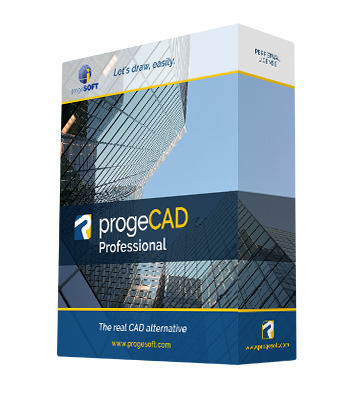
progeCAD 2010 Professional

progeCAD 2010 Professional

progeCAD 2010 is a real "CAD evolution"
progeCAD 2010 a stable, fully functioning, easy to use DWG CAD at fair price.
Ready for Windows 7 - 2010 DWG compatible


Download Brochure  - Download PowerPoint presentation  - Video

2010 New Features: demo  video


  • DWG 2010 support
  • Windows 7 full compatibility


  • Performance improvement
    Open and Save, Zoom and Pan and visualization
  • PDF Import-Export
    PDF export with layers support (DWG can be exported into layered PDF)
    PDF import with layers support (Layered PDF can be imported keeping the original layer structure) demo  video
  • New Property Toolbar
    Support all entities properties, powerfull, “AutoCAD® like” feeling
  • Aerial View
    In a large drawing, you can pan and zoom quickly in a window that can display the whole drawing
  • Gradient Hatch support
    Display and creation of Gradients
  • New Hatch Form
    Completely renewed Hatch interface “AutoCAD® like” feeling
  • Advanced CTB
    Greyscale print and Screening
  • Polygonal layout Viewports
    display and creation
  • Solprof 
    2D profile image extraction from ACIS solids
  • Highlighted selection area
    Crossing Selection and Window Selection
  • Render Export
    Export tool for Blender (.lwo), 3D Studio (.3ds), Pov-Ray (.pov)
  • Recovery manager
    Easy recover of drawings in the event of crashes
  • Express Tool
    New options
  • NLM Take Away
    NLM licenses can be temporarily moved on laptop or remote PC to be used offline. Max flexibility!
  • More languages available
    English, Chinese (traditional and Simplified), German, Italian, Polish, Czech, Russian (French and Spanish coming soon)


 progeCAD General Features:


  • Xref Manager
    A comfortable interface for the management of external references
  • Bitmap/Raster View - demo video
    progeCAD Professional 2009 supports DWG with images, photo, raster editing/visualization. ECW and Jpeg 2000 also supported
  • Bitmap Clipping
    Clip and polygonal clip on images
  • Find and Replace
    Find and replace text and block attributes in DWG
  • Standard GUI
    More comfortable, standard graphic interface, New Toolbars “AutoCAD® like” feeling
  • Battman
    Local editing of blocks Attributes
  • eTransmit
    compacting and transmitting DWG file by email
  • progeSOFT Rendering
    Advanced rendering module with multiple lights management and the creation/editing of materials. Reflection, mirror, transparency, smooth shadows, customizable size bitmap output
  • Eattedit
    Advanced Attribute editing
  • progeSOFT Wblock Manager
    Tool for the improved creation of blocks on disk
  • progeCAD QDIM
    Quick dimensioning
  • Google EarthTM Integration - demo video
    Export your models to Google Earth
  • Spell Checker
    Highlight and correct misspellings
  • progeSOFT New Wizard
    Initial configuration mask of new designs based on prototypes or predefined values
  • progeSOFT DWG Explorer
    Windows Explorer style windows for DWG browsing and block insertion
  • Snap 'From'
    The smart tool completing the snap family
  • Extended Hatches
    More than 300 new Hatch patterns available
  • Layer Manager
    Save and Restore Layers configurations
  • Layout
    Management of multiple layouts allows the creation of all print tables of the same design and offers a greater compatibility with AutoCAD®
  • True color support
    Over the limit of 256 colors in DWG
  • ECW and Jpeg 2000 raster format
    The standard wavelet compression format optimized for aerial and satellite imagery
  • Hidden lines in Dview
    Hidden lines in perspective views
  • Layers interface
    “AutoCAD® like” layers management with Layers Filters support
  • Asiatic fonts
    Chinese, Korean and Japanese improved compatibiliy and new fonts
  • Quick Group
    Creates Entities groups with one Click
  • Iconografics Interactive Purge
    GUI inerface for Purge command
  • Raster to Vector
    progeCAD 2009 Professional includes WinTopo raster to vector tool. - demo video
  • Layout Advanced Features
    Hide on Layout
    Shade on Layout
    Selection of Model Space with Double-Click
    Layout Tabs
  • Print area visualization
    Shows the page layout
  • Advanced Data Extraction
    Easy to use wizard for Attributes and Blocks data export
  • DIESEL language support
    Support AutoCAD® DIESEL programming language,
  • DWF Import & Export
    progeCAD 2009 Professional reads and writes standard DWF 2D/3D files
  • 3D models o2c export
    progeCAD 2009 Professional contains o2c features; 3D Models are easily exported and managed with the o2c tool. o2c is the best Tool for 3D models presentations.
    A 3D model is more alive, convincing and touchable.
    The o2c format is not only a 3D-Viewing on internet but also in Microsoft PowerPoint, Microsoft Word, Microsoft Excel, Microsoft Outlook within HTML email.
  • JPG and PDF print
    Export drawing to JPG and PDF formats
  • RealTime Pan & Zoom
    progeCAD 2009 Professional allows users to work with their drawings using RealTime Pan and Zoom and also includes the exclusive progeSOFT's PPan Technology* allowing dramatic improvements on Pan movements
  • Lineweight for Display and Printing
    Lineweight is supported on Video and Plot
  • ActiveX integration
    Allow cut and paste of progeCAD drawings (or just parts of them) to a Microsoft Office application
  • Customization (AutoLISP, DIESEL, SDS, COM Automation)
    3 programming languages supported by progeCAD 2009 Professional: LISP and SDS (C++ ADS compatible) VBA and COM automation.
  • ALE, Blocks Libraries Management* updated
    progeCAD 2009 Professional contains the full version of ALE, the progeSOFT's powerful module for Blocks management.
    More than 11.000 blocks included


progeCAD supports every important AutoCAD® file type, including AutoCAD® drawings (from 2.5 through 2010), AutoCAD® menus (.MNU), AutoCAD® scripts (.SCR), AutoCAD® AutoLISP routines (.LSP),  AutoCAD® Drawing Exchange Format (DXF), AutoCAD® ADS Compatible programs (SDS, Solutions Development System), Windows TrueType and AutoCAD® SHP/SHX fonts, AutoCAD® Tables for plotting (.CTB), AutoCAD® Hatch Patterms, AutoCAD® Blocks, AutoCAD® Linetypes, etc.>