
 it
it English
 čeština
 Deutsch
 français
 hrvatski
 magyar
 polski
 српски
 русский
 中文
中文 中文
中文 한국어
한국어 español





























progeCAD Professional 2024 Il CAD 2D/3D DWG AutoCAD® Compatibile
La vera alternativa CAD per Windows
Dettagli
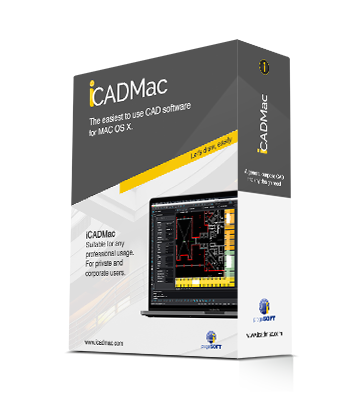
iCADMac 2024 Il CAD 2D/3D DWG per Mac
La vera alternativa CAD dedicata al mondo Mac. Supporta Sonoma con processori Intel/ARM M1,M2,M3. Compatibile AutoCAD®
Dettagli
10 ragioni per scegliere progeCAD Professional
- Licenza Permanente! progeCAD è un CAD a basso costo senza nessun pagamento annuale richiesto. Sei tu a decidere se e quando effettuare l'aggiornamento
- Lo sai già usare Se già conosci AutoCAD® non hai bisogno di imparare nulla. ACAD Alternativa
- Usa il DWG in formato nativo! Compatibilità totale con AutoCAD® senza conversioni
- Converti PDF in disegni DWG
- Importa progetti e oggetti BIM (Autodesk Revit® e IFC) e modelli SolidWorks
- Crea in pochi istanti i layout architettonici con il plug-in parametrico EasyArch
- Esporta in Google Earth®
- 22.000 blocchi pronti all'uso e gestione di blocchi customizzati
- Importa/Esporta i file STEP, IGES, SolidWorks, PDF, 3D PDF, DWF, 3DS, DAE, LWO, POV, Maya, OBJ, BMP, JPG, WMF, EMF, SVG, SHP, SDF, WFS
- Artisan Render Engine incluso
Da PDF a DWG - Converti PDF in file DWG
Lo strumento di conversione da PDF a DWG è incluso nel software progeCAD Professional e iCADMac. Il plugin permette di convertire i disegni di PDF vettoriali nel in normali disegni DWG/DXF modificabili.
Formato DWG
DWG è il formato nativo di progeCAD, lo stesso formato di AutoCAD®. Quando apri un file DWG esistente con progeCAD, non c'è alcuna conversione o perdita di dati. I formati sono compatibili, quindi è possibile iniziare a lavorare da subito usando file DWG, comandi, font, blocchi, tratteggi e tipi di linea. I file di disegno possono essere esportati in tutte le versioni precedenti di AutoCAD® nei formati DWG/DXF.
EASYARCH 3D - FREE ARCHITECTURAL PLUG-IN
progeCAD Professional include lo strumento avanzato Easyarch 3D per l'architettettura, pensato per aumentare la produttività nella progettazione di esterni e interni. Funziona in 2D e 3D.
Interfaccia Familiare
Sai già come usare progeCAD! progeCAD offre una interfaccia completa con l'icone classiche, menu Ribbon e comandi simili ad AutoCAD®. L'interfaccia utente è standard e intuitiva, familiare a tutti gli utenti AutoCAD® che saranno in grado di iniziare immediatamente a lavorare con progeCAD. Nessuna perdita di tempo per l'apprendimento! Non devi imparare nulla se sei un utente di AutoCAD®.
iCADLib - 22.000 Blocchi CAD pronti all'uso
iCADLib, incluso in progeCAD e iCADMac, contiene oltre 22.000 blocchi 2D/3D. iCADLib integra i portali Traceparts e Cadenas per un utilizzo facile di oltre 100 milioni di blocchi online.
Nessun costo annuale
Licenza permanente! Acquista il software CAD compatibile con DWG ad un prezzo estremamente conveniente. La licenza progeCAD è permanente e consente al cliente di utilizzare il software a tempo indeterminato. NESSUN COSTO ANNUALE. Sentiti sicuro usando progeCAD come alternativa ad AutoCAD®. Decidi tu quando e se effettuare l'aggiornamento.